

Sep 21, 2009
labs: MayaRender (OS X render droplet). . .
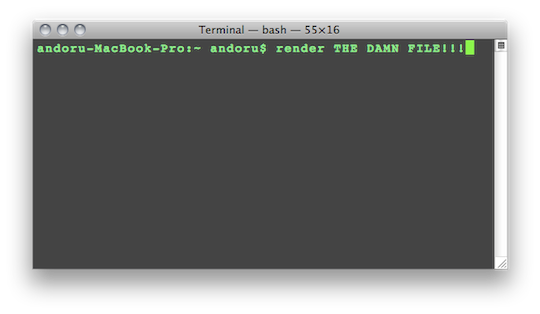
I really don’t enjoy setting renders in Maya, and I definitely don’t enjoy manually setting up command line renders, but it is definitely the way to go when it comes to rendering animation.
The purpose of these little apps is to make that a drag and drop process:
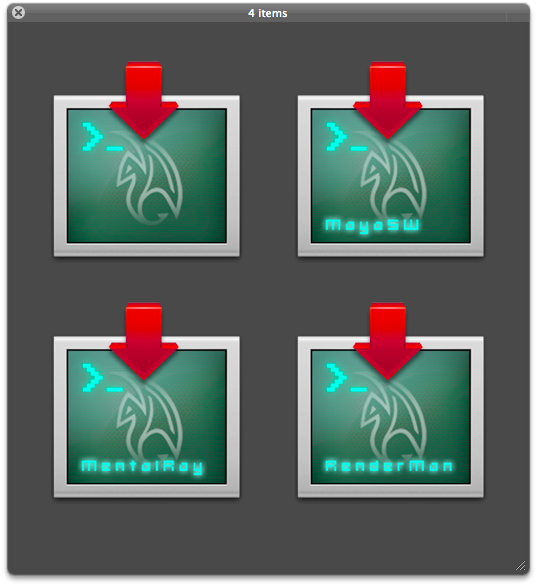
MayaRender – Drag any Maya .ma or .mb onto this droplet to automatically start a command line render in terminal. (Asks to choose Renderer and add any additional Render Flags, universal version will ask which Maya version you would like to use)
Maya SW, MentalRay, and RenderMan, and V-Ray are setup to automatically startup up renders as soon as a file has been dragged onto them, avoiding having to put in any options. (The renderer will automatically use whatever you have setup within your Render Globals in your scene)
Download: MayaRender (6.2MB .zip)
-(Based on code originally developed by Dustin & Cody Beltram.)
Log:
-2009-12-1: added 2010 versions plus V-Ray, and 3delight droplets.
-2010-3-10: fixed Maya 2010 versions to work with the changes that were made to the location of the “render” binary.
-2010-3-20: fixed typos in latest Mental Ray versions (2009 & 2010) and removed “mail_cmd” in MayaRender2010 (universal version), top secret feature coming soon. . .
-2010-4-10: Updated for Maya 2011
Enjoy! If there are any issues or concerns please contact: andoruLABS.support.

i love u
Hello, i think is very smart your apps but in my macbookpro tell my that:
Starting “/Applications/Autodesk/maya2010/Maya.app/Contents/bin/maya”
Error: could not find installed copy of Maya. Please install maya
or set MAYA_LOCATION environment variable to point to location
// Maya exited with status 1
i don´t know what is the solve if you could me help. I would appreciate
I’m getting the same problem as renech. Any fix? The app sounds fantastic and I’d really like to use it.
Thanks.
I am looking into at the moment. I am actually unable to render from the command line on Maya 2010 going the manual route as well.
Are you guys able to render from the command line with Maya 2010 at all at the moment?
Yeah, also getting the same issue as colin and renech… can´t do it manually either, i start getting messages that say that my filename is incorrect… i hope you can get it to work, this app would be great to use
good luck
just realized i had an extra letter, on the filename (duh), and now it renders just fine (manually)
is it just me or does everyone else have to use this for the command line to work now in 2010?
. /Applications/Autodesk/maya2010/Maya.app/Contents/bin/MayaENV.sh && /Applications/Autodesk/maya2010/Maya.app/Contents/bin/Render -r mr [file goes here]
the old way still works in 2009:
/Applications/Autodesk/maya2010/Maya.app/Contents/bin/Render -r mr [file goes here]
not that it’s that painful to type that out, just to find that I had to type more to get it to work….
Thanks for posting that up. I have no idea why it is neccesary to define the .ENV variable each time, I will update the Render Droplets to reflect it though and post up a new version. That is the purpose of these apps, to avoid typing anything at all. . .
It should take care of the issues people were having with the 2010 versions, is this outlined in the 2010 documentation or anything?
Looks like you can actually use:
/Applications/Autodesk/maya2010/Maya.app/Contents/MacOS/Render
As the path instead. They apparently added more than one Render binary for some odd reason.
2010 Versions Updated.
[…] like my MayaRender app, but for After Effects CS4. A quick and easy way to launch AE renders without using the […]
This is excellent. Many thanks.
Maya kept quiting batch render for who knows why.
This solved it.
Hello.
First i want to thank you by the batch for AE CS4. This work perfectly, and my render gos 2.5x times faster than when i open the AE. And just using one core. If i put to renders, i will get 500% of performance.
But the Maya 2010 plugin don’t work at all.
Here is my message error for short cut 2010, before the choose of renderer, (mr), Enter additional Render Flags for mr (blank). Than The variable mail_cmd is not defined.
On the Mentalray with in the 2010 forder, i have this:
Last login: Sat Mar 20 21:25:42 on ttys000
/Applications/Autodesk/maya2010/Maya.app/Contents/MacOS/Render -r mray ‘/Users/climberfx/Documents/Maya/projects/Casa Torre/scenes/casa 14.mb’
iMac:~ climberfx$ /Applications/Autodesk/maya2010/Maya.app/Contents/MacOS/Render -r mray ‘/Users/climberfx/Documents/Maya/projects/Casa Torre/scenes/casa 14.mb’
Cannot open renderer description file “mrayRenderer.xml”
iMac:~ climberfx$
What is wrong?
Rafael Valle (thanks again :))
The mental ray droplet was not working for me here in Maya 2009.
I opened the scrip in apple’s script and saw that the flag used to specify mental ray was -r mray. As I’m used to do my renders from command line, I just corrected it to -r mr, and now it runs just fine.
thanks for you and everyone responsible for this,
cheers
I corrected the mental ray and other problems with the apps, thanks for letting me know!
you rock! good on you 🙂
I’m loving the positive vibes! ^_^
Any chance of making something like this that you could batch render from? I Love you programs only thing I use for both maya and AE rendering gives me a great edge in school that most of the other students still render in the actual programs! You rock and thanks!
I am actually looking into that. There should actually be a way to drop multiple items on the droplet, or a way to let the user select multiple scenes, and render them one after the other.
You can technically do that manually in Terminal though, the command would be something like this:
/Applications/Autodesk/maya2010/Maya.app/Contents/MacOS/Render -r mray ‘/Users/climberfx/Documents/Maya/projects/scenes/scene01.mb’ && /Applications/Autodesk/maya2010/Maya.app/Contents/MacOS/Render -r mray ‘/Users/climberfx/Documents/Maya/projects/scenes/scene02.mb’
and so on. You just need to use “&&” in between each command and it will do one after the other. So that is what I usually do when I need to do a batch.
All that said though, I am looking into a way for these droplets to batch render, not completely sure it is possible with just AppleScript, but I think I may have found a good way to do it. I will put up a new post if I update. I could actually make a completely universal version that would ask which App you would like to render with, etc. but I find it easier to just have separate droplets for each.
I actually do have a version that I use that will send me an email whenever the render is finished, but the setup on that one is a lot more involved so I may put it out separate if people are interested. (Requires another script that would need to be edited by the user).
Glad they are useful to you, it can definitely make your workflow a lot more streamlined.
Dude did you ever work out how to make it render multiple scenes? That would be fantastic because I could set and forget 🙂
Yeah you can do this with – http://andrewandoru.com/labs/renderq
[…] both MayaMaya and MayaRender for 2010 & 2011 versions. Maya 2011 is a must have upgrade if you are working on OS X, loads […]
Absolutely love this script! Use it all the time!
Great to shut maya and batch it, and still get info about the renders. Something you don’t see with the maya batch render.
Word.
I have been searching for ever for something that would allow me to batch multiple renders on a Mac. It has been a long frustrating search. I used to use Maya on PC and it allows you to simply right click on a scene file and set it off. Now with this droplet, I can do that on a Mac.
I have started multiple renders at once with this droplet and let it go. It works great. Thanks so much.
Glad it is working well for you. Everyone go watch Toy Story 3 while waiting for your renders.
Hey, I’m using Maya 2008 on a mac, will Maya Render work.
Emailed you back, you should be able to use the latest version of RenderQ with whatever version of Maya you have, as it asks where the Maya render executable is located.
http://www.andrewandoru.com/labs/renderq/