After using Nuke for quite awhile now I have really started to like it’s built in viewer. It has easy controls to view multiple channels, simple region of interest, exposure and gamma controls, and proper keyboard shortcuts (jkl) for playback. I found myself often opening up Nuke just to use the viewer to take a look at renders and recently discovered while digging through the documentation that Nuke can be launched in viewer only mode using the command line. If you have ever visited this site before it is probably well apparent I am a fan of making AppleScript droplets for utilizing command line features of apps, and this was no different.
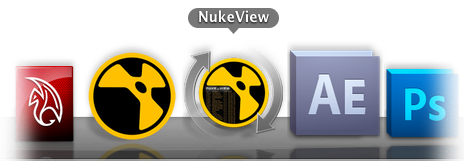
NukeView is a simple app that allows you to easily open an image sequence in the Nuke viewer without going through all the steps of opening the app, creating read nodes, finding the sequence, etc. You can simply drag and drop any file in the sequence onto NukeView and it will open Nuke in viewer only mode, then begin playback of the sequence.
Demo:
QuickTime Version 1172×720 (50.6MB)
iPhone Version (15MB)
As mentioned NukeView expects the “filename.count.ext” naming syntax and that you actually choose or drag and drop one of the image sequence files, not the folder that contains them.

Download: NukeView (1MB .zip)
Log:
-2010.5.17: developed basic functionality
-2010.5.28: redeveloped to allow opening and drag and drop of any file in sequence, NukeView will find how many characters are in the fileCount and open it accordingly.
Enjoy! If there are any issues or concerns please contact: andoruLABS.support. Also, this app is free but feel free to donate like a maniac.
[andoru.labs]

Remember all those render droplet apps I was always going on about? Forget about them. I haven’t told any of them yet, but their services are no longer required. Each app performed it’s job perfectly well, but I am all about teamwork here, and there is no “Q” in team. . .

Which has nothing to do with RenderQ, the latest update to the render droplet apps; which not only combines the functionality of MayaRender, AERender, NukeRender, and all of their Q counterparts, it does them all one better by using a little bit of intelligence. RenderQ is a drag and drop render queue app that will send Maya, After Effects, Nuke, and Shake renders to Terminal and queue them up for easy and efficient local rendering. It is now very easy to set preferences for the version of each app you are using, as well as enabling and disabling additional flags for each filetype. RenderQ will also automatically detect the filetype and submit the job accordingly. I have also added Shake rendering to this version of the app.
Also included is RenderQ maitre d’ to pause and resume renders and will also show which render engine is currently active and the last job submitted to the queue.

Demo:
QuickTime Version 1280×800 (92MB)
iPhone Version
Support for more apps could very well be coming in the future. A $0-25 donation is customary. I prefer to keep this sort of thing on the honor system rather than setting up some sort of direct cost. If you use this tool at a facility I suppose a site license will cost you a $0-$1000.

Download: RenderQ_v1 (2.4MB .zip)
Log:
-2010.6.01: RenderQ_v1 released!
Enjoy! If there are any issues or concerns please contact: andoruLABS.support. One thing I didn’t mention in the demo is that there is also a simple app included to reset the RenderQ preferences. It is quite possible there could be a few little bugs or improvements that could be made so don’t be afraid to contact me. Also, this app is free but feel free to donate, as many hours of work were put into it.
[andoru.labs]

With a bit of testing and a tiny bit of additional code I was able to build a basic queueing system into my render droplet apps. Instead of having each version open up a new Terminal window and start a separate simultaneous render, the “Q” versions of the apps will send everything to one Terminal window and render them one after the other. Not only does this make the apps easier to use, it should actually make rendering with all of them much more efficient, especially when you need to render multiple project files, scenes, or scripts. Now you can get them all set to render with the “Q” droplets and go to sleep, go drink some coffee, or better yet, go work on something else.
Demo:
QuickTime Version 1440×900 (46MB)
iPhone Version

Download: AEaeCS5 (165KB .zip)
Log:
-2010.5.1: Updated for After Effects CS5
-2010.5.6: added “Q” version

Download: MayaRender (6.7MB .zip)
Includes MayaRender2009-2011.
Log:
-2009-12-1: added 2010 versions plus V-Ray, and 3delight droplets.
-2010-3-10: fixed Maya 2010 versions to work with the changes that were made to the location of the “render” binary.
-2010-3-20: fixed typos in latest Mental Ray versions (2009 & 2010) and removed “mail_cmd” in MayaRender2010 (universal version), top secret feature coming soon. . .
-2010-4-10: Updated for Maya 2011
-2010-5-06: Added “Q” versions

Download: NukeRender (725KB .zip)
Includes NukeRender6.0v5, for instructions on older versions go to NukeRender page.
Log:
-2009-5-01: Updated for Nuke6.0v5
-2010-5-06: Added “Q” versions
Enjoy! If there are any issues or concerns please contact: andoruLABS.support. Also, this app is free but feel free to donate like a maniac.
[andoru.labs]


AEae. . .

. . . and AERender have both been updated for After Effects CS5. I worked night and day to make this happen, changing the 4 to a 5 took a good 2 mins out of my life. Once again more time was spent on the new icons. But I must. . .

Download: AEaeCS5 (165KB .zip)
Log:
-2010.5.1: basic functionality

Download: AERenderCS5 (748KB .zip)
Log:
-2010.5.1: basic functionality
I have tested both with no problems but as usual, if there are any issues or concerns please contact: andoruLABS.support. Also, these apps are free but feel free to donate if you have the means.
COMING SOON:
“Q” versions of all the render droplet apps! With a slight adjustment to the scripts, I have found a way to allow a simple but effective queuing system to all the droplets. Will be available soon. . .
And for the record, RotoBrush is cool and all, but the addition of the FreeForm plugin is HUGE for anyone doing Matte Paintings, nearly all of the bicubic cards (3D point manipulation) functionality of Nuke and the camera controls from Maya equal a 3D workspace that is finally enjoyable to use. Bravo CS5, Bravo. And don’t even get me started about photoshop.
[andoru.labs]

Another ridiculous one I decided to make while checking h264 encoded versions of renders in QuickTime Player 7 for compression differences before uploading them to the web. Yes I know that I could open up something like AE or Nuke and easily do difference comparisons between the footage:

But I found the time it takes to do that and all the other things I could get distracted by in AE or Nuke end up taking more time than I really want to spend anyway. And just visually comparing the difference the way the audience will see it makes more sense anyway. So my normal image quality check would require aligning the QuickTime Player windows and cycling between them by using (command ⌘ + ~)

As you would imagine aligning the windows is difficult to ever get perfect. Luckily this was something Applescript could easily handle so I first wrote a simple script that would easily line up all the open QT player windows to the frontmost window. Now I was able to easily cycle between the windows with the same hotkey combo mentioned above. I thought I would try automating this a bit and also found a way to have difference do this for me automatically for me by telling it how many times to cycle and how fast to do it. So now the process is simple. Just open the content you would like to compare in QuickTime Player 7, click the difference app in your dock or Finder toolbar. . .

. . . and difference will line up the content and will ask you how you would like to automatically cycle the images (you can quickly just type 0, return, 0, return if you would like to do it all manually) and then you can just sit back and check it out for yourself, the way your eyes see it on a screen.
Luckily this process seems to be less important as encoding for the web gets better but I always find it a good idea to at visually check to see how something compares to the original before putting it out there for the world to see. With an app this easy to use you no longer have an excuse.
Demo:
QuickTime Version 1440×900 (70MB)
iPhone Version

Download: difference (360KB .zip)
Log:
-2010.3.25: basic functionality
-2010.3.27: added automatic cycling
Not 100% sure if QT player was called QuickTime Player 7 in 10.5.8 so anyone using Leopard let me know and I will make sure to include a version that works.
Enjoy! If there are any issues or concerns please contact: andoruLABS.support. Also, this app is free but feel free to donate like a maniac.
[andoru.labs]

Updated both MayaMaya and MayaRender for 2010 & 2011 versions. Maya 2011 is a must have upgrade if you are working on OS X, loads of new features, lots of bug fixes (although I am sure some others will pop up) and just an all around better version of Maya for the Mac. Oh, and 64bit! Who doesn’t want to have multiple iterations of that sexy UI?
Just download from the same location as before using the links above. Both apps are tested and should be working just fine with the new versions, please let me know if you have any issues.
Side Note: You may have seen the little orange plus signs recently added below each post, those are there to let you easily share and link to these posts on other sites, so feel free to do so.
[andoru.labs]
recent comments