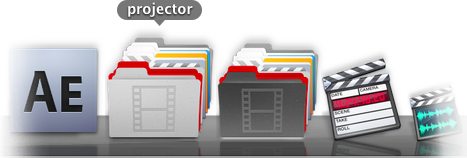
Updated version of the original post to show off what is possible with projector_v2!
Quite possibly the laziest of all the lazy apps. projector is a simple workflow droplet app that allows you to easily create and change project folders and icons to keep your film/animation projects nicely organized at a glance. So you can easily go from this:
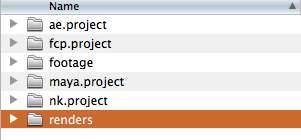
To this:

In no time at all.
Demo:
 QuickTime Version 1440×900 (160MB)
 iPhone Version

Download: projector download page. . .
The icons included are modified versions of the default OS X 10.6 icons or icons included with the specific apps, and a few 2001: A Space Odyssey icons made by Mischa Mclachlan.
If you have any requests for icons to include in the release let me know in the comments! It will be easy to keep track of that way and stay attached to this post.
Enjoy! If there are any issues or concerns please contact: andoruLABS.support. Also, this app is free but feel free to donate like a maniac.
[andoru.labs] | [mischa.mclachlan]

15 frames per second. That’s 54000 an hour. Your brain doesn’t like it, not at all, it has been trained to need 9 frames more per second to be happy.
Most people don’t appreciate how much is really going on in a lamp:
(click image to watch)
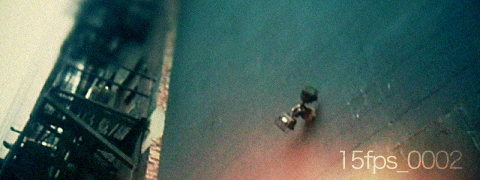
[15fps_0002 – 239frames] | prores | iphone | 2010.3.27
Music by Ennio Morricone
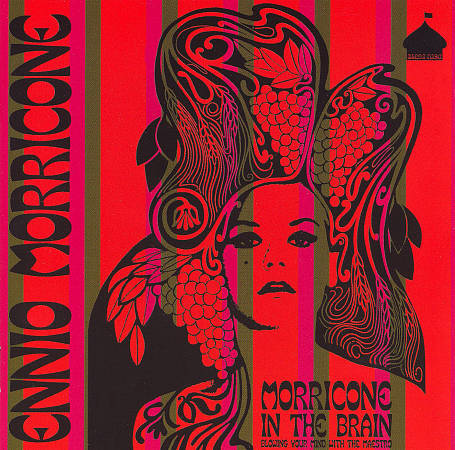
[15fps] – a project without a time-frame. . .
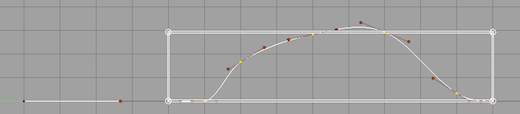
The scale keys tool in Maya is a little awkward. Why doesn’t it just have a normal scale manipulator tool like every other app?
It does, it just isn’t turned on by default:
Open or download the QT version below if you want to see a higher resolution version of the video:
QuickTime Version 1152×720 (95MB)
iPhone Version
Feel free to let Autodesk know that this should be on by default.
15 frames per second. That’s 900 a minute. Your brain doesn’t like it, not at all, it has been trained to need 9 frames more per second to be happy.
What does it take to make 15fps something you can enjoy? color grade? camera movement? composition? vfx? music? location? Can interesting and beautiful imagery be made with cameras meant only for utility?
Let’s find out shall we:
(click image to watch)
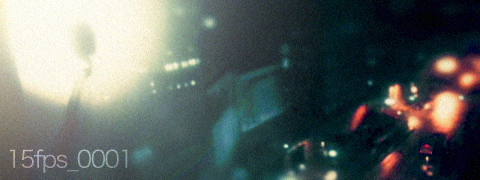
[15fps_0001 – 297frames] | prores | iphone | 2010.3.24
Music by Max Richter
Probably more than that. You people will never be satisfied. . .
[15fps] – a project without a time-frame. . .

Quite possibly the laziest of all the lazy apps. projector is a simple workflow droplet app that allows you to easily change project folder icons to keep your film/animation projects nicely organized at a glance. So you can easily go from this:
To this:
In no time at all.
Demo:
QuickTime Version 1280×800 (39MB)
iPhone Version
Download: projector download page. . .
I have also included a .pdf User Guide so check it out if you have any problems.
The icons included are modified versions of the default OS X 10.6 icons or icons included with the specific apps, and a few 2001: A Space Odyssey icons made by Mischa Mclachlan.
If you have any requests for icons to include in the release let me know in the comments! It will be easy to keep track of that way and stay attached to this post.
Enjoy! If there are any issues or concerns please contact: andoruLABS.support.
[andoru.labs] | [mischa.mclachlan]

Here is a quick demo showing the workflow for using the different render droplets on my site. PLUS! A very thorough demo and explanation of using Apple’s Qmaster application that is part of Final Cut Studio for rendering with Maya, After Effects, and Nuke, and some detail on how it works and what it is doing.
A lot of the Qmaster info and initial motivation for the different render droplets comes from Hugo Guerra’s post on vfxtalk.com.
The vimeo version of the demo is kind of low resolution so check out the QuickTime below if you want to see more detail:
QuickTime Version 1152×720 (93MB)
iPhone Version
Again, if there are questions, definitely check out the Qmaster documentation or contact me at: andoruLABS.support
Here are links to the aerender docs, maya docs, and nuke user guide.
EDIT: A lovely commenter named David did some very thorough testing of the render droplet and Qmaster setup and posted his findings in the comments.
[andoru.labs]